VisioEdge › VisioEdge for restaurants

VisioEdge for restaurants

Every order lands in the kitchen exactly as it was taken.

One outlet or ten, a restaurant loses money in the gaps — between the table and the kitchen, between what sold and what left the store, between what a branch reports and what actually happened. VisioEdge closes those gaps by running the whole service on one system.

Request a demo See pricing
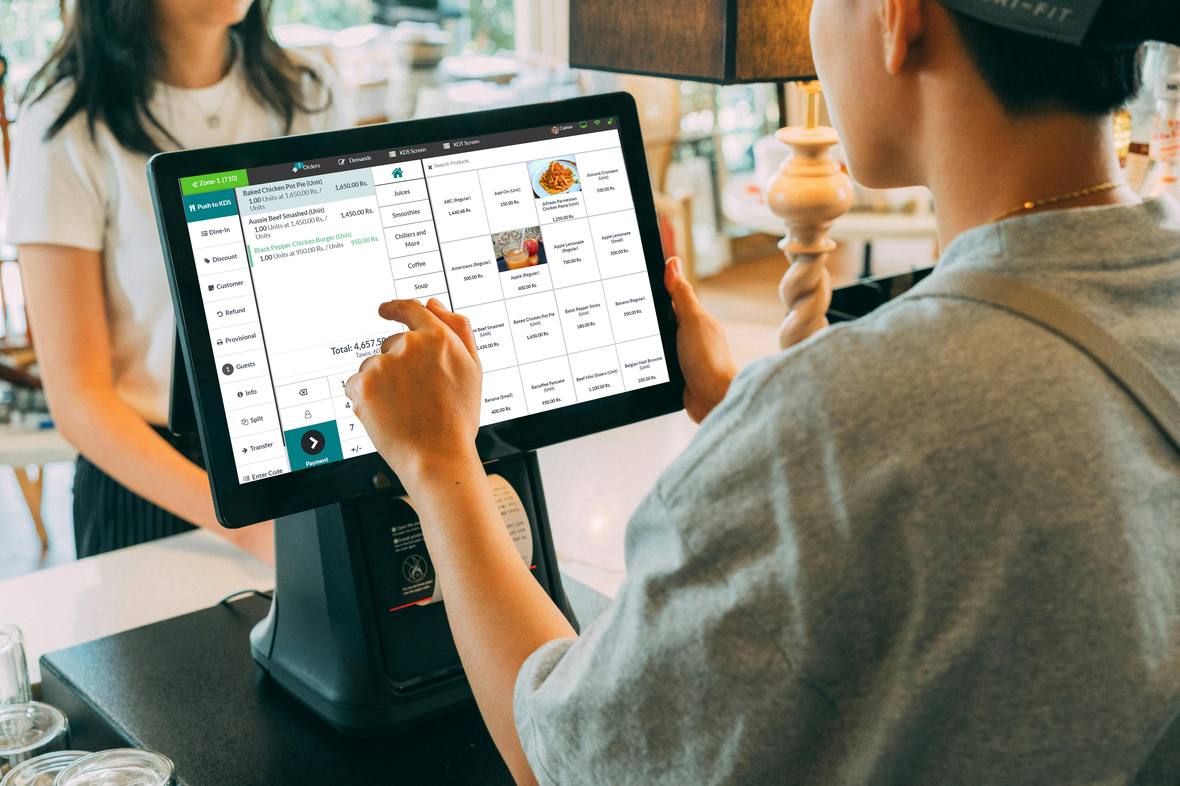
VisioEdge point of sale running at a counter
What usually goes wrong

Three problems, and what replaces them.

Orders get lost between floor and kitchen

Handwritten chits go missing, get misread, or arrive out of sequence. The waiter says one thing, the kitchen heard another, and the guest waits.

What changesOrders go from the table straight to the kitchen display with a timer running. Nothing is rewritten, so nothing is mistranscribed.

Nobody knows what a dish really costs

Food cost is worked out monthly, as an average, long after the month it describes. The dish that was losing money has been on the menu four weeks.

What changesRecipes deduct ingredients as each dish sells, so cost per item is live and you can act while it still matters.

Each branch is its own island

Every outlet keeps its own prices and its own numbers. Comparing them means ringing four managers and trusting four answers.

What changesOne dashboard across outlets, with menu and pricing set centrally. Branches are compared on the same numbers, on the same day.
What you get out of it

What actually improves.

Not feature names — the four things owners tell us changed once the system was in.

01

Service gets faster without adding staff

The waiter sends the order from the table and the kitchen starts on it immediately. Nobody walks a chit across the floor, nobody queues at a terminal to key in a table, and the pass stops filling with plates waiting to be noticed.

Does itWaiter tablet orderingKitchen display (KDS)KOT ticket printingTable management
02

Margin stops leaking quietly

Every dish deducts its own ingredients as it sells, so food cost per item is continuous instead of a month-end average. The over-portioned item and the under-priced one both surface in the week they start costing you.

Does itRecipe-based inventoryLive food-cost %Material consumption reportingPurchase & supply chain
03

Disputes end with a record

Every order carries a journey log — opened, modified, discounted, voided, refunded, reprinted, with the user and timestamp at each step. When a shift does not reconcile you follow one order through the night rather than taking somebody at their word.

Does itFull order journey logOrder history & refundsRole-based accessMultiple payment methods
04

You can run the group from your phone

Today, the last seven days, and which branch is about to run out of something — one outlet or all of them. Payroll and attendance sit in the same system, so labour cost lands next to the revenue it produced.

Does itMulti-branch dashboardOwner reporting mobile appHR, attendance & payrollAccounting — P&L, AP, AR
Everything included

The full list, for this kind of operation.

Check it against whatever you are running now.

  • Table management
  • Waiter tablet ordering
  • Kitchen display (KDS)
  • KOT ticket printing
  • Customer display screen
  • Recipe-based inventory
  • Live food-cost %
  • Full order journey log
  • Multi-branch dashboard
  • Central menu & pricing
  • HR, attendance & payroll
  • Purchase & supply chain
  • FBR digital invoicing
  • Offline mode with sync
  • Owner reporting mobile app
  • Drive-through with lane camera
Questions

Asked before every demo.

Does it work when the internet drops?
Yes. The POS keeps taking orders and printing bills offline, and everything — including FBR invoices — syncs when the connection returns. Service does not stop because the line did.
We have four branches. Can prices differ between them?
Yes. Menu and pricing are set centrally and pushed to every outlet, with per-branch overrides where a location needs one.
How long before staff are actually using it?
Cashiers are usually live within a day. Assisted onboarding covers menu build, recipe setup and floor training, and we stay on it through the first full week of service.
Next step

See it running on your own numbers.

Tell us how you operate and we will set the demo up around it, rather than showing you a sample business.

WhatsApp +92 309 6141455 Request a demo
Chat on WhatsApp